ATI: HSTI (Hot Springs Technology Institute) - Tape 2
- Transcript
You Good morning to you. I'm very pleased to be able to come to you this morning and share some of the experiences that I've had as I was 22 years in the classroom. I think that's the most important piece to understand. But then I made a leap after 22 years and technology director and so forth because I started to work with with technology and actually early on the cable television industry. I joined TCI, which was the nation's largest cable operator in 1994, to move to Denver, Colorado from Missoula, Montana, which is my home, started a national teacher
training facility there. We started to talk about technologies, especially something new at that particular point in time, which was called the World Wide Web. And we were wondering, well, what is this hypertext markup language? What do these WWWs mean? And that kind of thing. And perspective, from a corporation perspective. And then if you look at the slide here, I just recently retired as the associate dean for continuing education at the University of Montana. And also, I was executive director for NASA research project. I'm still involved in a part -time capacity with NASA through the University of Montana. I'm going to be talking about that today. And more importantly, even in my estimation, even more exciting, is the work that I'm doing with a company in Los Angeles called ComChoice. ComChoice is a Warner Brothers DVD company that's dealing with feature film technology right now, but they're looking at how they're positioning DVD technology in education and training. So what I want to do is really give you a technology tour today.
Think of it almost as a buffet, where you have a plate and we're going to walk down, we're going to look at this large broad scope of technologies that are out there today, some of which are coming from inside of education, and some of which are coming from outside of education, but will have an impact on us. So I think it's very, very important for us, in my first presentation this morning for you in this opening address, to really talk about technology the next generation, discovering the new frontiers, just what's going on out there in terms of technology. And then my second presentation that starts at 11 o 'clock, we'll be taking these technology tools and building a personal plan for us, teachers, how do we use this stuff effectively? And so I call that building your own personal digital strategy, kind of an implementation plan. Now before I really get started in the presentation, it would help me immensely to understand your technological expertise, how long you've been with this. So if don't mind, I'm going to ask you just a couple of questions, if you'd raise your
hand so I can kind of judge the audience, I can then craft my message for you today, make it a little more effective. How many of you, again, raise your hands if you would, how many of you got excited when you saw upper and lower case letters on the computer for the first time? Can I see any hands? Come on, get your hands, don't be afraid to get them out there, okay. See our younger colleagues in here are going, what is he talking about? They've always been on the computer. No, when computers, fact, Commodores and Apples came into our classroom years ago, they only had uppercase letters, and it wasn't until the Apple IIe came into our classrooms, which meant enhanced, did the little shift key appear down in the corner of the keyboard, and then many of us went running up and down the halls of our school yelling, it doesn't get any better than this, upper and lower case letters on these computers. How about color monitors? Who got excited when they saw color monitors for the first time? Yeah, again, it was green screen for years, so very, very excited when that came in. What about, who knows what, who knows what one of these things are?
Okay. No, I still have it in my classroom, you're saying to yourself. Yeah, the old floppy disk, which was very confusing because this came out, and of course this was floppy, and this is floppy. Yeah, see, very confusing. But nonetheless, the parade of technology back in the old, well, let me ask one more question. Who knows what one of these things are then? Okay, great. In fact, I was in Florida not too long ago, and they could actually tell me what those little pieces of paper are that get punched out here. Remember the chads? You know, what elected our president last time? You know, anyhow. So, yes, technology is a lot of fun, and we can take a look at that. And what I want to do is go ahead and start the presentation and move through some of the technologies and actually support this with some information I have for you on the web. But let's take a look. First, I'm going to go ahead and start up on the red part of the triangle, the 40 ,000 -foot view that I just described to you. Let's go ahead and just have some fun and take a look at some technology. Then let's start understanding what those new
pieces are. And as we start to understand the new pieces, I'd like you to notice this word right here, a strategy. See, I like the word technology strategy or a digital strategy, rather than technology planning. See, technology planning to me is what we've been doing for years. And that, to me, conjures up the plumbing aspects of technology. What kinds of wires do we need? What kinds of end devices do we need? But when we develop a digital strategy, it really now comes into our arena, the content people. We're communicators. We're content people. And developing a digital strategy helps us to use technology to increase our effectiveness as a teacher. as part of my message, make sure that we understand what that means to start to develop that strategy. And then, of course, down below here, we'll connect these pieces of technology to form an implementation or plan. Now, I have this whole thing supported on the net for you. So I'm going to go ahead and click. In fact, I'm going to come out over here. think what I'll do right now is come over here and bring this up for you. This is my website. You might want to make note of this because it's the only website you should
have to write down today, even though I'm going to show you many. This is www .couglin .com. When you get to this web page right here, that's my website, I'm going to keep bringing you back to that today because my presentation is not, hopefully, you're going to find it informative, but I'd like you to look at it as being a model for you. I'm going to be modeling how do I use this site right here to get my knowledge from me that I've been able to find to you? And then, I'd like you to think about that. Wait a minute. I have knowledge. How do I get my knowledge from me to my students and to my parents and the other people who are interested? What mechanisms do I have set up that allows me to share my knowledge? Now, I could stand up here and speakers have done this in the past year, after year. We listened to speakers come and talk to us about various subjects and so forth, and where did the speaker
go when they were done? Well, back home, wherever that was. Was there anything really left to follow up? Maybe the speaker left with us some paper, some handouts. You'll see I have no handouts in your lap right now, and I know some people were wondering, where's John's handouts? they don't have handouts, and they start to shake. do you mean you don't have handouts? You've to have handouts. Now, my handouts are electronic. I want to model for you how my knowledge is put into this site, then you log into the site and you have access to that. So, when I leave, what do you have? You have this site, and when you come to the site, if you want to, you come over here and click on the clock, which is the clock at the center of the University of Montana. When you click on that clock, you're going to go ahead and bring up right here the entire slide presentation that I have today for you, with all the hyperlinks and so forth embedded into it. So, you can have the hyperlinks in context of the presentation. Now, how am I sharing my knowledge with you? This is only one small step. First, I built this environment. Second,
I'm populating it with information. We're going talk about that today. See, we'll talk about that, how you might be able to do the same thing, and I'm going to show you ways in which you can accomplish that. So, right now, you know my website exists. You know that the presentation on the website is there. And furthermore, I'm going to be showing you, at least in the first presentation today, I'm going to be showing you several animations and several movies that you might find of interest to you. And when you click on it, when you go to my website and you click on the slides and you go through it and you try to click on a movie, it won't work, because I can't stream the movies to you. So, how could I get those movies to you? I put a link on my website right here called Presentation Movies, which takes you to an FTP site at the University of Montana. Then you just download the movies to your desktop and you can have the movies to the presentation as well as the presentation. So, as we move through this today and think, that's cool. I wish I could have that. You got it. So, no, I didn't give you handouts in your lab, but yes, I'm giving
you digital assets to take back to your classroom tomorrow. So, let's go ahead and start this presentation so I can lay this out for you and show you what I've compiled for you and put together. And let's start with a quiz. Okay? That's a teacher in me. I'll only make it two questions though. I'd like you to think about technologically speaking, two events that have happened in our history that have really changed the course of technology development. And not only technology development, it changed the way that we live today and work today as Americans. What two events in history? You might be thinking to yourself, well, you know, Neil Armstrong walking on the moon could be one. Certainly, there are lots of them. But how about this one? Did you think about this one right here? Interestingly enough, it's as simple as a magazine cover. A magazine cover. And think about how this cover changed our world really forever. Not because it's a picture of the Altair 8800, which is known as the first personal computer.
And not because of the person who built this computer, which everybody knows is Ed Roberts. See, Henry Ford, Ed Roberts. We didn't know Ed Roberts, okay? But he's known as the father of the personal PC. He put this together. That's not what I'm talking about. It's two people who picked up this magazine and looked at this and said to themselves and each other, you know what? We're kind of computer hackers. If we write some programming code, I wonder if we could get this little thing to do something. And about all it could do was flash lights, by the way. But let's see if we could write some programming code and see if we could get the lights to flash. So they went to work and they wrote out this code and they think they got the code all polished up and one of the gentlemen then got on a plane and flew to the center of the computing industry at the time. Because the center of the personal computing industry, you might think it was California. You might think it was Texas. It was Albuquerque, New Mexico, where Ed Roberts had put his company together to build this.
He put the code in. This gentleman, it worked. The other guys, he called the other guy, said it worked. The other guy then immediately went over to the university and quit school. The two of them went down to Albuquerque and they started a company that you might know. But first of all, who are they? These are the two people. You know who that is in the back? Bill Gates. Quit college. Paul Allen, co -founders of Microsoft. And they founded Microsoft in Albuquerque, New Mexico because Ed Roberts had his computer there. And of course, this is what Microsoft looked like in 1978. It says, would you have invested? Now, look at that. I see all of them, driving up to work in one Volkswagen bus with a big peace sign on the side. Inagata DeVita, screaming out the windows. That's my own little survey. Who remembers a song, Inagata DeVita? Oh, look at their hands. Yes, yes. Younger colleagues in here again
are going, Inagata DeVita, what is he talking about? Well, you missed out. I said that once to an audience. lady raised her hand and said, I got the album. And I said, well, calm down. We won't take it that far. So anyway, there they are. Second question. Second question has to deal with an audio sound. Okay, so listen to this sound right here and see if you can hear this. I don't know if we can give that a little more sound out in the audience. Can you hear that? What is that? That changed the world forever? Absolutely. Absolutely. I think I hear it out in the audience. I'll tell you what it is right now. It is the sound of Sputnik when it was launched on October 4, 1957. October 5, 1957, Congress convenes and they want to revamp the educational system in our country. See, it was our fault. Okay, so they said they wanted to revamp this. And so we are immediately going
to teach math different. We are immediately going to teach science different. And we were immediately going to teach and put a huge emphasis on a third subject. Well, wait a minute. I still hear math and science. What was the third subject that was critically important back then? It was called physical education. And some of you may remember that President Kennedy's physical fitness tests entered into our school and we took tests and we got badges and we did pull -ups and sit -ups and what percentile did you get and, you know, that kind of thing. And so I think that's still going on in schools, but certainly not to the level it was back here. Now, let's understand satellites a little bit more. started with Sputnik. It certainly hasn't ended there. So I want to spend a little time with you talking about satellites. So what we've got right now is a concept. I'd like to just understand this very briefly since this is a technology conference. A geostationary satellite is one that is in orbit. As Arthur C. Clarke figured out way back in 1945, conceptually speaking, about 22 to 23 ,000 miles in space, a satellite
can stay in orbit there. The speed at which it takes to stay in orbit is exactly proportional to the rate at which the Earth moves around on its axis. So what happens to the satellite is it appears to be stationary because as we turn on our axis, the satellite is going at a rate of speed, it constantly stays in our sky. Now with that in mind, look at a company that was launched. We're always saying in education that we need to educate our children because we don't even know what the job market is going to be. It's going to change on them so many times. Here's a company that you may have seen advertised on television recently, and I've been showing this for a little while now, who was just born six months ago. This company just came into existence about six months ago, and here's what they're doing. You might find this interesting. Okay, what
I'm showing you there is really satellite radio. In fact, let me show you this piece here so I understand this a little bit more. This company launched two satellites, and they put them in a geosynchronous orbit that I just taught you about. And so now what they do is they send radio signals up to those satellites, 100 channels worth of those radio signals, and back down to small receivers that sit on top of cars and in homes. Now the reason I mentioned this is the fact that, look, small antennas, portable device, the automobile. Where we're going in education, small antennas, portable handheld devices, wireless and so forth. Sure, this is radio coming into this car via satellite, but it will become digital information that makes up digital content to be delivered to portable handheld devices and so forth. And I wanted you to understand that that's a trend that's moving through right now our sectors and other sectors of our society as people begin to get more mobile in terms of where content and so forth is going to be delivered. So schools are going to be recently threatened, in a sense, by where the learner
is at. Whereas knowledge delivered to that learner, and we as educators need to understand the environment that's shaping up, and begin to position ourselves professionally and individually to take advantage of this changing environment. So I just wanted to show this to you not only because this company was looking for workers who could go jump into a field that wasn't there six months ago, but also because of what it represents, technologically speaking. So again, I just wanted you to see that just for a minute. Now let's go out here and I might ask you this question. Where do you get your zeros and ones from in terms of where do you get your internet access from? And you might say, I get it from the telephone company. I got a 56k modem or I got a DSL line or something like that. You might say that you get it from the cable. You might have a cable modem, be lucky enough to be hooked up to a high speed cable modem. But what about what's happening overhead? What's happening overhead? Well, take a look at this
right here. Here's a company, Bill Gates is involved with this company. Craig McCaw started to sell your telephone industry, Boeing. They're getting ready to launch low orbital satellites that will encompass the globe and use satellite to satellite communication for a high speed delivery system for the internet and other digital services. So regardless of where you'll be on the surface of the earth, you'll be able to uplink to this constellation of satellites, send your information and get information back down to your portable device. Now all you have to do is think about when Berners -Lee brought out the world wide web, the concept of the world wide web back in 93, 94. Some of us will remember a little device we were using called Mosaic. It was the first browser, WWW URLs and stuff, 93, 94. That isn't even 10 years ago. And look at the delivery systems now, we're beginning to look at in terms of where we're going to get our access from. So the day is not far away
when we can start erasing the problems that we've had as far as connectivity and where we're getting high speed access to the internet. It will just be there for us and we'll be telling our grandchildren. Back in the old days, used to have to use a telephone to get our internet service and the old grandpa and grandma, you did not. I can hear it now. So I wanted you to see this. And then by the way, how long do you have to wait for satellite services? Well, not long. Let's take a look at this website right here that I'll pull up for you. This is called Starband. America's first consumer always on high speed satellite internet service. So you know the people that are out buying the small pizza sized dishes for their television, you know, direct TV and the dish network and so forth? Well, those are round. And when they're round, they only see one satellite that's in that geosynchronous orbit that I just taught you about. That means you can get your television coming down there, your digital television. But if you make that round dish elliptical in size, you can see two of those
geosynchronous satellites, one delivering you television and one delivering you high speed access to the internet over that little satellite dish. Okay. In fact, it looks like this. It looks like this. Let me show you this. And right now, if you take a look at this, this is a little animation here. You're sitting at home up in the mountains. You want some internet access. You go to the satellite dish, you go up to the satellite that's overhead, you come back down to the downlink center, you go out to the cloud, the internet, pick up the information, come back to the uplink center, go up above 23 ,000 miles and back down to your den with the information. See, there's no phone line. They used to have a phone line to connect. So it used to go request over to here and then around, so you made a big circle. Now we just go over the top, both ways. Within the last six months, this technology has evolved to this point. So, theoretically speaking, those of us that are internet junkies could take a laptop, a satellite dish, and a little
Honda generator and go up on our fishing trip. When we're done fishing, we can still surf the net at night in the tent, see. I said that jokingly one time and I got this email about three months ago, three, four months ago, and all the email said was, it works. Whoa, what works? I said, what works? And so I emailed back and this gentleman said, he emailed back to me and he said, I want you to know, I do have a laptop, I do have a satellite dish, and I used a solar panel instead of a Honda generator. And he says, I'm mailing you from the middle of the Iditarog dog sled race of Alaska. And he hung a camera on his dog sled and at night he would put a camera up there and hook in and then the kids in Alaska and anybody else knew about it could then watch where his campsite was for that night. But just to show you how times are changing in terms of where internet and content is going to be delivered, I thought that was a good example of that. So, with that, still staying on this satellite thread, because I think it's important
for us to understand that, let's talk a little bit about what NASA's doing. NASA is, of course, periodically in the news and very, very involved in a number of different areas. It isn't just launching the space shuttle. That's a major component that always is on the news, as it was yesterday and this morning, as we finally brought the space shuttle down only in California because of weather in Florida. And not just because we go up and repair the Hubble telescope and we go out and we fly missions to planets and so forth. The part of NASA that I represent through the University of Montana still is what we call Earth System Science. In other words, we're not going out in the space. We're launching a fleet of satellites that will turn their cameras inward towards the planet Earth and study what we're doing here on Earth. And that's what I want to talk to you about because I think that's of greater importance to us, educationally speaking. So, this is a satellite that went up last month called Aqua. And as Aqua goes up, you'll see that the skin of the nose cone will peel off, exposing the satellite here in just a second. There, it
peels off. This is Aqua. I'd you to think about this working for us in our classroom now. So, we've got an instrument up there that's going to go to work for us. Solar panel is deployed and a communications antenna will come up. It sits up there about 500 miles and it starts to go around the Earth, not in a geosynchronous orbit that I was talking to you about earlier. It goes around the Earth from pole to pole this way. Simply because when the Earth rotates on its axis this way and the satellite is going pole to pole, we start to have these bands of data and after a 24 to 48 hour period, we have an entire picture of the planet Earth and what's going on. And you start to see how that data comes back. It's really, it's really phenomenal what we're able to do and what we're able to see with that. in fact, let's see if I can show you right now where
that Terra satellite happens to be right now. This is a website that's live and I don't know if you can see where you're sitting, but do you see Terra satellite right here? That's another one. Aqua went up, Terra is another one. Terra is sitting right here. Primarily, we're interested in this satellite. And if you'll watch it just for a second, it's going to move. It's going to move because that's actually in real time where that satellite is at. Okay? Now, as you watch that move, let me ask you a question. A teachable moment I call this and you'd be my students. Do you happen to know what these two colors represent on the map up there? This is a live map, so it's going to change, but what are those two colors representing right now? What are you seeing with your own eyes? You're seeing night and day on the planet Earth right now. That's exactly where the sun is shining. actually, we get a chance to see something unusual here.
There's a celestial event that's going to take place in the next 24 hours or so. What is that celestial event? The summer solstice. Okay? That means that the daylight, in this particular case, it's easier to see the darkness. Our nights in the northern hemisphere are going to be very, very short. In fact, look at, if you go east to west on this thing, west to east, look at how short those nights are. In fact, when you get all the way up top, you're going to run into sunlight, period. Look at the length of night down here in poor Australia. Longest night right now, coming up as far as they're concerned. And unfortunately, I'm going there a week from Saturday right there to Melbourne, okay? And they told me to bring my winter clothes. And I thought, geez. They said, if the southerly wind is blowing, it could be very cold. And see, that's just, summer is winter, southerly is bad. Oh, anyway, I'll figure it out. But, okay, so you understand, this is day and night, and you're seeing a celestial event
to occur on here because of the solstice. But let me ask you this question. If I logged into this site about March 21st, September 21st, what would it look like? Would it answer those? The autumnal equinox and the vernal equinox. And what would it look like? It wouldn't look like this. There would be no bell curve to it. The lines would be straight up and down. They'd look just like this. That's because it's the equinox. Equal day, equal night. So when a student comes in and says, oh, I heard it's the equinox today, what is it? And of course, we say in our most authoritative teacher voice, that's where it's daylight, equal daylight and equal darkness. And they say, okay, and they go sit down. Did they really get it? Or could you actually pull them over to this website and say, let's take a look at the equinox. How could you visualize an equinox? Oh, I just used the word there. Visualize. Visualization. You're visualizing with just one screen here, rotation of the earth, night and day, revolution of the earth around the sun
in its relationship to where the sun is, by the way. Here's the declination. For those of you that are interested in the science, there's the declination of the sun, how it's up on the sun line to the north. It'll work its way down here, direct rays of the sun. All of those things being visualized for your students, one screen. By the way, the whole time I was talking, have you seen Terra continue to the bump? It's continuing to go around in its polar orbit, mapping the earth. Well, let's see if we can, let's go up top and take a look at some images then of what, let's just go up above and write on the Terra satellite just for a second. I think the projector is good enough for you to see what I want to show you here and bright enough here. So let's go out here and I'm going take you out to the west coast. Let's go out to the west coast of the United States and let me see if you've got your bearings here. Do you know what you're looking at? Can you see that out there? Okay. Puget sounds.
Puget sound. Olympic peninsula. Cascade mountains. I hope that shows. Is that showing up okay? You see that? It's kind of, it's a little bit. I won't spend too much time because it doesn't look as clear as it is on mine, but I'll come down here. Let's fly down here where I'm coming down. This is the Columbia River coming through. Here's Mount Hood out in Oregon, Mount Rainier. Now, can you imagine your students having a chance to look at imagery? This is virtually a cloudless day, by the way, which is highly unusual. This was taken in the middle of March this year from the satellite. As it comes down, we fly into California. Oh, I was going to backtrack. I don't know. Can you see this little red box right there? Modus sensor has detected a forest fire at that location. So they'll geo -reference it, send that in the authorities to make sure that it's properly taken care of. So as we come down here, it's fun to take a look at a new element that we can bring into our classroom, and that, of course, is satellite imagery. It can
be very, very powerful, and a lot of our students are very, very visual, and they get a chance to see different types of land masses and so forth, and I'll show you where you can get some of this imagery and how I'm using it. I'll take you back up here because I think you can see, I'm in Utah right now. That is the Great Salt Lake. Okay? Is there something wrong with the picture? Do you see this and see this? There's nothing wrong with the picture. It's just that a while ago, a railroad company decided they were going to put a rail causeway across there and block the water from interacting with the two halves. This is a algae that grows in extremely salty water. That's an algae growth there. Water on this side is still salty but not as salty, so the algae life isn't supported on this side. So you're seeing right there how we impact the environment by putting a railroad causeway across there, but that's what it looks like from space. So I wanted you to just take a look at that. We don't just look at
pretty pictures. We look at other things too with those cameras. For instance, this right here is a composite of the ocean temperatures throughout the world for a week, as compiled about three weeks ago. So we start to monitor. I don't know if you caught on the news, but scientists are now saying that we're beginning another cycle for the El Nino. Well, somebody just wake up in the morning and they think, I think it's time to start another cycle. No, they go out and they scientifically collect data. What kinds of data? They start looking for trends and patterns. I don't see trends and patterns with this, but if you take data like this, now I can't show you ocean temperatures because I haven't compiled it all, but I can show you temperatures across the United States for a, for compiled for a period of time. Watch. Take the same concept, take the same concept and do this with it. Animate it. Just using some simple video editing techniques where you
lace a bunch of stills together, just lacing stills together. This was temperature now. Temperatures laced together for a period of time now allows us to start to visualize. Well, look what we're visualizing. We're visualizing spring coming into the United States now. Look at the temperatures and look at as we move through the months. Look at how it gradually transforms from winter into spring and spring into summer. And look at as the country now starts to heat up. Notice how the Rockies here stay cool so you can start to see geological features on the surface of the earth. See? Hot, hot. I thought there's a nice little cool spot here in Arkansas, but I guess. Now watch how fall comes into the United States. Contrast it with spring. Spring kind of gradually seeped in from the south. Fall comes in. Bang, bang. In fact, look, we're just minding our own business in December. And look at this storm that's going to come. Look at the key. Here
comes December. Again, just mind our own business and whoa. Did you see the size of that storm? That came down and really had an impact. Now, how would you ever see that? See, visualization for our learners is very, very big. Okay? Can we build on that visualization just a little bit? Have any of you ever handed out something like this in your class? Oh, yeah. Nothing wrong with that. I'm proud of this. I went to in -services. I learned how to do a database. I put this together. I put these records in. I entered the data and by golly, I'm going to use it in my classroom. And there's nothing wrong with that. I just wanted to show you something to make a point on some new technology that's going to impact us in education. And the way it works is this. This is a database of children's, excuse me, of population in states. So let's just say we threw this out to fifth grade class and said, what state has the largest population? And what would they
do? Get their fingers out and they'd start going to work on this thing. Let's see. I'm going over here, here. Five minutes later or so. Yes? It's California. And then, of course, in our most authoritative teacher voice, we say, are you sure? And what do they do? No, no, no, no. Not sure at all. And they go back and they look at that again and they spend more time. Or what if they looked at it like this? What if you handed this out? Let's see. Same data, same information. California, are you sure? Yeah, let's go. You're right. Do you see the element of productivity? Not to mention looking at the same information in a visual way was much more effective and much more powerful. So looking at data in a visual perspective is called GIS, Geographic Information System. Some people relate GIS to maps and therefore some people then dismiss, I
don't teach, geography. I don't teach maps. It's not maps like MapQuest where you're learning how to drive from hot springs to Lillarock or something and you're driving on certain roads. It's mapping out data and allowing you to look at data in a visual way. And more importantly, it's taking visual data and then layering it over the top. In fact, it's the layering of the data as well that allows you to see new relationships that you couldn't see before. You know what I'm saying that way? see, maybe I can give you an example, a live example on the net. Now I'm hooked to the net here with a, I think it's a 21 -4 connection. So let me see what I'm going to pull up here for you by taking you out to a site that's live on the internet. When you're done today, you can go to this site and use this in your classroom as soon as the school convenes if
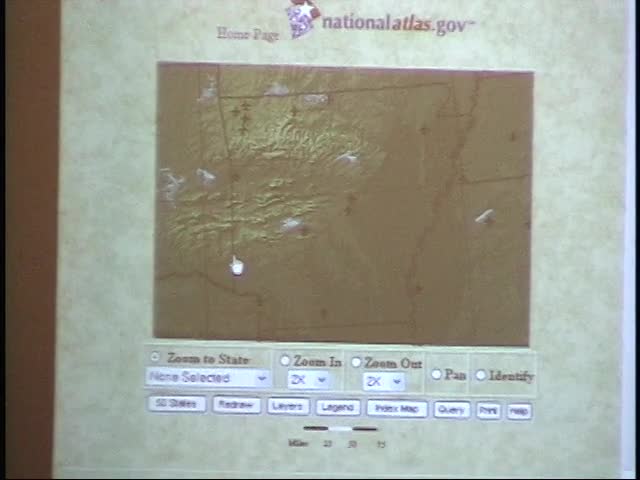
you'd like. I'm going to show you the National Atlas because GIS can be put online in a web browser. And when it goes online in a web browser, it becomes a usable tool for us as teachers. We don't have time to go out and be GIS experts. Gosh, you can get a four -year degree in GIS if you want to. But you know, sometimes I'd like to get some quick information online. Matter of fact, I'm interested in Arkansas because we're in Arkansas. And I had a question, you know, where are the airports in Arkansas? So first thing I'm going to do is come over to a map interactive service like this one, and I'm going to think to myself, I want to go to Arkansas, so I'm going to come over here, and from all 50 states, I'm going to zoom into Arkansas. And when I click on Arkansas, I just told the browser to go out to the database and give me a map of Arkansas. See it? One layer. I got a layer. Didn't tell me anything other than this is the
area I'm going to define. Then I come over here to this side. What am I interested in learning about Arkansas? These are the different databases. You okay with me? Those are, they're called map layers, but they're really databases. So what am I looking for terms of, well, look at, I start going down here. These are all databases. Here, databases in terms of biology. Do I want to put down, do I want to see what a basis species there are in Arkansas right now? Do boundaries? Do I want climate? Do I want environment? No? I'm interested in the, to tell you the truth, I'm interested in shaded relief. I click on shaded relief, and I go out, and I tell to go out to that database and bring me back what a shaded relief map looks like and layer it over the top of my Arkansas border. So now the database is going to come back up here, and it's going to draw me a shaded relief of the state. Okay? Layer number two. You okay still? Layer number three. As this draws in, I said I wanted to know where
the airports were. So now I come back over to the side. I scroll down here, and I think to myself, I thought I saw, oh, I could put in night lights if I wanted to. What does this area of the country look like at night? See what the cities are and so forth, but I won't do that. Okay? And some of you are saying, yeah, show me that. I want to come over here now and take the airports because I'm interested in flying. Does that look pretty much like the, okay, the Arkansas? Okay. And where are we at? Right about here? Are we right about here? Big lake? Here? Oh, okay. Let's see what's close there. I want to come over here and get railroads, excuse me, airports, and redraw. Now, by the way, I don't have to do this one at a time. I could be doing three or four. I want airports. I want this. So if this is in my classroom, I could be bang, bang, redraw. See, because I was actually looking for that. Now, what it's done is it's overlaid the airports,
and as it overlays the airports. Now, remember, when you're on a, and I had a little bit of a problem getting my XP to hook up to the network, so I'm on a phone line that I think it's, I think I'm in at 21 -1 or something like that. So, I mean, we're at a snail's pace, but that's good because you're seeing that it works. So I'm not showing you something, oh, great, John, but you got to have a fire hose, you know, to have it work. You know, no, you don't need a fire hose. Here it is. It's coming in. and by the way, what I'm going to do now is I'm wondering, here is how I'm visually seeing the layers, but here's how I can go into a database, click on the airplane, click on identify, excuse me, and then click on the airplane that you think is closest to your area, and then you pull up right now the record from the database that's active. That is Hot Springs Airport right there, and there's the information. Now, I could have gone into that ugly database, but then I wouldn't have,
I wouldn't, if I wasn't sure what Arkansas was, how would I know that Hot Springs was the one I was looking for? Do you see all the relationships that are going on? And I'm doing this live on the internet inside of a browser, and I wanted you to see this. And I just tailored this for you since you're my students. So then what I do is I come over here and I say, I want to print this off because, actually to tell you the truth, I'd like to make this a handout. And so I'm going to call it test, and I'm not hooked to a printer right now. I'm going to do this, and it's giving me an error message because I'm not hooked to a printer, but here is right now the handout that's being generated that you click print, and the map legend and everything is already down below for you. Print it off and hand it out. Bang. And you've got that. Okay. Dynamically generated, I don't care how many teachers there are in the room here, you come to this one website and you can make as many different, depends upon what you teach, if the information is loaded there. Now, the idea for that is a service, a map service. If I take you back here, there are others that I found for you.
How can I share my knowledge with you other than me standing up here and vibrating your eardrums? That's cool, John. I like that. Where do I go? What do I do? How do I share my knowledge with you? I had to build some type of a digital space, right? I had to build some space that would be common to you and me, so I built kuglen .com, which will come up right now, I hope. Okay. This is the space that I built. This is where I'm sharing that knowledge with you. If you scroll down here, I have put on the side here, map servers on the internet. There are others that are out there if you like this concept. In fact, there's a brief description that I've put for you right here, and the last one under online mapping is right here. That's the National Atlas right there. You click on that one, and you can do what I was doing. You have to follow a couple of links. See, you come out here, and then it says Atlas Maps. Click on that. Then it says go to the interactive
map browser. See, it's not very friendly because they got too many links in the way, but then it says here, I never read help files. Go straight to the map browser. That's the one I click on. Okay. Now, I'll let you be the judge as to where you fall into that. And there we are back at the National Atlas. Now, the reason I keep coming back to, and the reason I made such a point about that is, when you have knowledge that you want to share with your students, how are you sharing it? Are you parking it at a website? Do you have a space set up that allows you to do this? I think it starts to, hopefully what I'm doing is modeling for you that after a while, you start thinking, I got to have a space out there. I got to be able to do this. I want to go digital next school year. I want to go digital by the day one of school. I want to be able to announce to my parents and to my students that I went digital, and here's the services that I've compiled for them. I'm to continue this part of the presentation, but as we go digital in the second hour of my presentation, I'm going to give you specific details. But right now, I want to continue to
give you content here, and I'd like you to see this piece right here. This is another satellite owned by a private company that's up taking pictures. They're taking very interesting pictures. Tom Brokaw had this on the news, Fox News Network, ABC, it all done stories on this satellite right here. Now the reason it's interesting is because when you take pictures with this satellite and you combine it with technology from Los Alamos, New Mexico, well watch, very, very interesting, watch. I'm going stop this and come over here, and I'm going to bring up something called Mr. Sid, and I'm going to look at this in a viewer, but this can be done online. And let's go out and take a look at some of my favorite ones here, which is right here. This is Atlanta's Hartsfield Airport, back and forth as to whether or not it's the busiest airport in the country. This is taken from the Iconus satellite at an elevation of 500 miles. Can you see the runways? Well, there's nothing special
about that really. I mean, yeah, there's a runway. Cool. Have you ever tried to take an image though and make it larger? Try to blow it up so you can see it in greater detail? And what happens to it? Oh gosh, it's awful. You end up throwing it out. Well, let's come over here and grab one of these tools, and let's take a look by drawing a selected area that we want to see a little closer in detail, and then we release it. I start to see airplanes sitting at concourses from 500 miles up now. Interesting. In fact, I'm going to come over here and look a little closer, so I'm going to drag this around a little bit and take a look at that image. And just because I'm going to save some time, I'll just cut to the chase here, and we'll go from 500 miles all the way down to the wing on that airplane right here, reading the numbers from 500 miles up in space. You see that? J8088 and the baggage carts. We're still 500
miles up. That's called one meter satellite resolution imagery, which means that every pixel on your computer screen is one square meter on the ground, and the smaller the number, like one meter, very fine. This company just gained permission from the United States Department of Commerce to launch a satellite that has half meter satellite resolution. So you walk outside and you hold up. Hello. If the satellite's going over, it has to be going over. But anyway, you can see this. educationally speaking, I thought to myself, the first use for this, see, I can come back up too by just dragging the bar up, the first use is, of course, I thought it was disciplinary. See, make the student who's misbehaving look at this for 15 minutes. Are you going to be late again? No, no, anything about that. So it isn't just pretty pictures, though. The
medical profession is looking at x -rays where they can zero in and take a look and make a diagnosis by moving in and out of an x -ray up closer. And how about a little girl maybe in your classroom that's looking at a very, very rare flower, and we draw a certain area. We take a look at this and see how that flower starts to come very full and vibrant. And if she wants to take a look a little closer, she just clicks on the magnifying glass and comes up here and starts to look. Oh, there's the end of that flower. See, that's got a neat little tip to it. And so you're magnifying that image. And so what I'm just showing you right here is a revolution in imagery. It's no longer just pretty pictures, but there's a functionality to it that allows you to move in and out and to examine it up close. And these sorts of things now can be created and delivered over the network and viewed in the browser. And that's very, very important that we, in decision making roles, understand that we can deliver services into the browser. The browser becomes very, very important. Scan documents. I, do any of you, have any of you tried scan documents before or scan them? I see
hands going up. What have you noticed about scan documents? If you want a really nice quality, the file size goes, you might scan a little late and a half by 11, get really excited about the quality of it. You look at it, it's 10 megs. And you think, boy, this is really good though. So you attach it to an email and you mail it to all your friends. See? Don't do that, obviously. A 10 meg file would crash most systems. But, but, take a look at this. This is a while ago. I think it was last year, a year ago, May, because I was invited back over there again this last May and I'd like to not to go. I went to the Middle East to address a technology conference in Dubai, which is part of the United Arab Emirates on the southern end of the Persian Gulf. And when I was over there, wanted to show them this map. And let me ask you this question, because I still show this. Is it possible to scan something this big? The answer is yes. We don't see it normally in education. We normally see eight and half by 11. But can you imagine if we're talking about file sizes on eight
and a half by 11 being big, you know what the file size for this was? This was 400 megs. 400 megs to scan this thing in. Why am I even standing in front of you showing a document that's 400 megs? And the answer is because there's another technology that allows us to compress, make things smaller. We don't normally think about compression in our world, but the way to think about compression is, well, like this. I say a freight train. 200 -car freight train, loaded with refrigerators, food, you name it, all shrunk down to a pickup truck and then driven across country. When it gets to the other end, you sprinkle a little bit of water on that pickup truck and it expands back into a 200 -car freight train and you unload the furniture and everything else. It's amazing. We don't think that way in the physical world, but we can in this world
because this map that I'm going to show you that I told you right there was 400 megs is now compressed down to 1 .5 megs from 400 to 1 .5 and it's now going to appear in my web browser. Wait a minute, John, you mean to tell me that I can go out and scan documents now that I haven't been using in my class? I could scan documents, turn them into a file type that can appear in a browser and then I can look at them this way in a browser. I come here and I start enlarging that map so that we can start taking a look at it and I go up and I get the hand. In fact, I can enlarge that map so far that I can come down here and we can look at the imperfections of the paper and the ink. You see it there? That's because we're looking at this map right now from about this height. We're looking at it like this. I mean, we're really studying it. So not only can we then put this in a browser and view it, but what I thought was most powerful,
the map in its current Gutenberg model, printing press, stagnant, it's here, can't do anything else with it, can now be embedded with hyperlinks. So as you move around, you click and now you start to blow up certain segments of the map that you've embedded hyperlinks. For instance, there's a hi -hat on the Persian Gulf. I can click on weather. I can go out and get other documents, professional scan documents, excuse me, journals. We're doing some work in Montana with the Lewis and Clark journals and clicking on journal entries and bringing up, if Lewis was drawing a fish in the journals, we were putting a link over it so that we would go out to U .S. Fish and Wildlife and bring up a picture of that fish, actual fish. so these documents now become a teaching platform whereby we navigate off of and start doing work and they can be aggregated and delivered in a web browser to your classroom for you to use. So I wanted you just to see that idea
and know that that's available and available technology. Okay, so that's called scan the web technology. If you want to learn more about this technology, guess where you go? You go out to, right here, let me start up the browser here, you go out to Kuglen .com and you come down here to a company called Lizard Tech. Lizard Tech is the company that is marketing that. The reason I'm taking you to Lizard Tech is you can, those of you in here that's interested in scanning documents and turning them in doing this, you can go to Lizard Tech under downloads and you can download something called Deja Vu solo free for educational use. Go to your scan or tomorrow scan and start to make your own Deja Vu compressed files and you can make them available yourself if you want to do that. It's about a $300 program that is no charge for educators. So you can get it at Lizard Tech. I got to move on
on our little tour but I can answer questions if you're, if those of you that are interested in that piece. Okay, I want to keep flow going here to what we're doing and so let me now move into a couple of other pieces for you that I want to set up, all right. Now what I'd like to do is to talk about the internet more specifically about tools and so forth that are related to us. That was nice. We spent some time looking at technology from a broad perspective, some pretty neat stuff but there are some things that are a little closer to home for me that I, that I might be able to use and I want to talk about your role as a teacher. In fact, I like Nicholas Negro Ponte's quote here about what our role is as teachers and I firmly believe this after dedicating 31 years of my life, I never, I don't, I've been at this 31 years and I am not a fountain of knowledge, okay. Now I might be sharing with you the expertise that I've got years of experience on some of you in here but this is because I focused on that area but there's lots of areas I know nothing about and so teachers, we're not,
we're not repositories of knowledge that we just walk into the classroom when we start to spew out information and children come and run and lay at our feet and we, and they just absorb all of this knowledge. We save that model for our universities. No, no, I'm only kidding, okay. I can say that because I'm associated but, but we really are in all seriousness, we should look at ourselves as being skilled navigators who lead young minds to discovery and understanding. We need to teach children how to learn because it's dynamic world that's changing. In order for us to be skilled navigators, I think we need to have a set of digital tools to help us navigate. I mean Lewis and Clark took off, they took tools with them, they took a sextant so they could line the stars up and find out where they are on the surface of the earth, they took a compass and so forth. We have to have tools more than just the traditional tools that we're talking about, more than just the blackboard and a globe and a couple other things. I think we need to have a complete set
of digital tools that help us to become effective navigators and communicators. So let's take a look at what some of those tools might look like. They follow, the tools are going to follow you and the way that we develop. I can tell you the way that I developed, which is the same exact same way many in this room developed. I started first using the internet by becoming a consumer. I went out there and I started to learn what sites were available and I started to bring them in in a meaningful way, kind of did my own criteria in terms of whether or not the content was useful. So I went out and I started to become a consumer. But at some point in my mind and I'm hoping that I'm planting the seed with you today, at some point in my development I thought to myself, you know what, I'm just tired of going out and getting information. I'm tired of just consuming information. I'd like to become a producer of knowledge as well. I'd like to share information. So I had to take a big step going from becoming a consumer over here to being a producer. It can be done and you don't have to wait necessarily for your employer to make it happen for you.
You can become proactive and start to develop some of these pieces yourself if you have to in concert and collaboration with your district. Now I don't want you to misunderstand me saying that I'm telling you to go out and be a wild renegade, but I am telling you to become proactive and some of that proactivity needs to come from within yourself as well as support from the district, but you can do a lot. So you're going to become a producer. third, after you start getting to be well versed, you're going start taking a look at some of the productivity tools that are on the net, thinking to yourself, that's fabulous. I don't know how I could teach without these web -based services that I have. They've become an integral part of my teaching strategy. And so you have a nice three -legged stool that's very, very important here. Every leg is important. So how do we go ahead and we support this whole plan and this whole concept? Well, we come over here and we support it by a matrix of products and services that becomes available to you, some of which might be provided on a district level, some of which might be provided on a state level, and some of which might be just point blank, roll up your sleeves, go to work, and you're going to do this.
Okay? But right here are all the different squares and boxes. My second presentation is really going to talk about all of these tools here and how you go ahead and how do I build a website? I'm going to show you how to build a website. I'll show you how to build a website under what we call the ASP model, an application service provider, which means the application is delivered to you and the data is delivered to you. So the computer that is in your classroom that you think that you have to work on to do all of your work, that when you go home you can't do anything, because all of your files and all of your work and everything is on this computer, we want to change that model. We want to take your resources and distribute them to the internet so that when you go home and you log in to a web browser connected to the internet, your services and products can be delivered to you. So we're going to spend some time right here. Those of you that would like to stay with me to show you how to go ahead and do that, it's fascinating.
And then we'll put some information, we'll hang information off of this. We're going to hang information off of this. So okay, I got a little web page up. What kind of stuff can I put on it? I'll show you. I'll show you how to start sharing your knowledge. I'll show you some of the systems that I put in place that I could share out with you. I'm going show you how to build online books very, very easily. Very easy, online book. Share it, turn it into HTML, post it on the net. Fun, some fun stuff to do. What I'd like to do is to go ahead and close with a couple of other technologies that I'd like to share with you here in the interest of time. Let me take you out here to DVD. I really would like for you to see this. We'll kind of complete our technology tour of some of the things I was showing you by showing you some technologies as far as DVD is concerned. I'd like to take you through this piece right here. DVD technology is just to understand what's going on. This is kind of an FYI for us as educators.
U .S. DVD player sales to consumers in 2001. Some 16 .7 million DVD players have been sold. How many of you have a DVD player? It's a set of curiosity. Oh, look at the hands go up. Okay. So in 2001, that's where we were. Now, look at this. One in every four homes has a DVD player, according to the latest statistics. One in every four homes. That's phenomenal. That's a phenomenal penetration rate. We need to know how to take advantage of that in education. There's a total of almost 55 million units when you start counting game councils, game boys, and those other devices that play DVD. I think what's important right here to understand is DVD is the fastest selling consumer piece of electronic of all time. The number of years to reach an accumulative sales of 30 million units took color television sets 17 years to sell 30 million units. It took DVD only five years to sell 30 million units, of which
you can buy a very reputable player now for less than a hundred dollars. Very, very inexpensive. Now, what I want to show you here is some capabilities right here. I'm going to skip over these a little bit. Here's one right here. Just wanted you to know DVD purchases now outsell VHS purchases. If you go into Circuit City Best Buy, you go back to look at their movies and so forth. It's all DVD lined up there rather than VHS. So what I want to talk to you about though is education because look at this right here. Where's the share of DVD at right now? And it's feature film. at 85 .2%. And then you got some sports and you got some TV. Is education even on this circle? Not yet. Okay. I think what's very exciting about what's going on and the reason when I retired from the University
of Montana, I could hand pick where I got to go. That's why I picked ComChoice because they're doing work with DVD and they're interested in moving into education and training with DVD. And I think an interesting twist to my presentation here in Arkansas today is that an Arkansas -based company is one of the first companies in the United States who is now working on a DVD educational product that deals with Algebra, a year -long Algebra course using the power of DVD technologies. And it's based right here in Arkansas. In fact, I'm going to hold this up. It's called Best Quest. And I don't normally do this, but I do this simply because of the fact this is almost historic. A, it's going on in your state. And B, this is one of the first fully -based DVD products to be in education. So that circle is going to change dramatically. And ironically enough, if you walk out that door right there, there's two young, talented ladies from
Best Quest from Arkansas who are standing right there, and grab one of these for a historical perspective because it's going to change people. This is going to change. What is it that people are buying? Well, let's take a look at some of the capabilities of DVD. Let's have, let me just show you some different levels with it because I think that you'll find it interesting. For those of you that have players, I think you'll still learn from some of the other, the upper levels of this. I'm going to go ahead and close out of this, shut that down. And I'm going to put in something educational here for us on DVD right now. It's not, it's not Best Quest. It's James Bond. Okay? I wonder what James Bond in for? Because I want to show you level one. And then we're going to show you level two. And I'm going show you level three. then we'll be, we'll, then we'll take a break at the end of this. Okay? When we come up here, I'm going to show you this because level one with DVD is very fascinating because it has
obviously the menuing systems and so forth that go with this. So I'm going to come over here and click on this. And so now the disc is going to spin up. It's going to play. And I just like you to see it's a, this is in a player called Interactual. And again, what's going to happen is this is going to spin up. And this is kind of dedicated to those of us that saw QuickTime for the first time. Are there anybody in the audience? You understand? See, some of you guys are afraid to raise your hand. QuickTime was the first time all graphics on computers were still. QuickTime allowed those graphics to actually move a little bit. And we all gathered around the computers and saying, it's moving. It's moving. It was fantastic. See, this has, this has scene selection for you. So you can go ahead and select the scene that you want to play or play the movie. This particular movie had 16 by 9 format, which is theatrical, and 4 by 3 on the other side, which is television format. The new digital televisions are going 16 by 9, as opposed to 4 by 3. Okay?
Let's go ahead and take a look at this. And we go ahead and we say, huh, this thing is now going to roll and it's going to play. And let's see if I can give you just a little bit more volume here. Maybe I'll do it this way if I don't freak the machine out. Okay. And now I can actually change, all I have to do is just click on the button now, and I can go from scene to scene if I'd like to. And I'll go up here to where there's some dialogue because some of you may not understand this guy is very evil. He's the bad guy and he wants to see what havoc he's wreaking in the world, wreaking in the world today. So that's English. Now, watch what I do here. I'm going to switch him to French. So with a click of a button,
I went to English to French. And then with another click of a button here, I'm going to lay in here Spanish subtitles in just one second when it changes. DVD on level one gives you a menuing, gives you the ability to switch between audio tracks, different languages that are recorded on the disc, allows you to put in certain subtitles, allows you to have camera angles, allows you to have parental locks, a number of different things as far as the technologies you're concerned. Level one, okay. Level two, and I'd like to just again share this with you, the technology conference, it's important to understand what's going on in some industries outside of our traditional area. Level two is, here's something educational, Shrek. Anybody see Shrek? Well, for those of you who haven't seen Shrek, you still won't see it. But I'm going to show you the DVD because this represents level two. Level two. You put this in level two
now and we'll plug it in. And again, finishing up this technology tour, if you will, looking at some DVD pieces here. And as this now spins up, as we're waiting for this to spin up, maybe some of you have seen these small little discs like this on CD. The least small little disc now, this one is DVD. So now you take this little disc and you put it in one of those players that's hooked to your television, just pop it in on a tray and it boots up and you get menuing systems and you get the whole piece on a little piece like this in your pocket. In fact, some companies are now beginning to put these little DVDs as part of their marketing and packaged right on there, Coca -Cola on a 12 pack has music videos, you know, DVD right on there. And so an environment is kind of changing a little bit. That's better. Okay, let me take you out here now and show you level two on DVD. Shrek is an ogre and he just wants to be left alone to live in the swamp,
it didn't work out that way. Does anybody have a student like this? Pick me. Here's the audio that this film comes with. Notice this is more sophisticated because as I click on a button, I activate a character. And this particular movie has English, French, and Spanish. I come back here, I click on another subtitle. See now I activate another character to come out alive by just clicking on a button and subtitles are English and French and Spanish. Let's go back here now and we'll go to scene index. Here's a and what I'll do here is I'll make this full screen for you because DVD can go full screen at any time. What you're seeing now are what we call motion menus. Look at all of the motion going on in each one of
those signs. That's very, very sophisticated technology and of course that's branching. You click on one of those and you branch off. So it can be very, very powerful. Then of course because we're in a computer, we have special features. Now I can come out here to games, HBO's first look at the making of Shrek, or now I can come down here to DVD, ROM. So now the disc that you're buying at the store, if you look at the back of it, has all of the like the value added pieces, what languages, but also well ROM, watch. Now you have right here, you have coloring pages. So in a sense that DVD is also
coming with the ability to have coloring books and so forth on it that are printed off. So as this technology continues to evolve, when I started to see this, my light bulb went on and I thought to myself, and we're currently working with executives at Warner Brothers right now, to instead of packing these discs here with just coloring books and junk, some movies not all could have a real educational value for us. If they were properly aligned to standards and modules were properly constructed that used movie content, the theme of the movie, or an example that was best exemplified in the movie, we could then as educators click on some of these buttons, download lesson plans, link the standards and so forth, and use these movies effectively. the people at Warner Brothers right now, we're not there yet, but they're going, no kidding. And we could stamp on the front of it, ED, educationally enhanced on
some movies. And so I'm thrilled to death. Now you want to know why when I retired from University of Montana, and why I'm so excited about this technology, because it has the potential. at Shrek here. This is Shrek's Revoice Studio. You put this in the computer, you take out one of your favorite characters' voices, you insert yours with a microphone hooked to the computer, and you become part of the movie. Your soundtrack is overlaid in there. And they were playing with that on the Today Show one time. So it's very, very powerful technology, and one that's going to go places. So that's level two. Okay. Level three, I'm going to go ahead and quit right here if I can. And see this is going to let me stop here. And I'll come over here. No. No, don't pick you. We'll get rid of you. Okay. Now here
is where it also gets interesting. And again, I really wanted you to see the potential from an educational perspective. And what I'm going to do here is to put in a disc that is DVD. This is a test disc. So this is not a finished product. This is a DVD disc that is on a third level, which is web -based. Okay. So now what I'm going to do is put this in. And I'm going to just pop that in. I call this portable broadband. So now I've got heavy -duty movie files and assets that are way too big to stream in on the network. I have them pressed on here. And then what I'll do is I'll control this. I'll control this with a browser and watch what I do here. See if I can get this to come up here. And as I come out here, now this player comes up and I'm showing you very, very advanced technology. The state of the art in terms of where DVD in Hollywood is right now and in
education. So I'm going to go out here to go online. And my connection is still up. So now I have hopefully I have a browser that's going to pop up here. And there it is. And so what I'm going to do is go over here and show you right now how I'm going to control that disc from HTML built around DVD. And it takes just a second here for it to load in and do a couple of things. you're really getting that. You're really getting an idea. Package bandwidth. There's a website that's all HTML. All right. Now remember, I put the DVD in the player. If you're following all this, I'm going to say enter. Now remember, I'm in HTML and come out here to broadband now. this is still all HTML. Could be populated with links, can be populated with a number of things. And I click on this and the movie will start to play. The DVD will spin from a web browser.
Full screen inside of the browser now. And I can come back from full screen. So I can control this now, this DVD from a web browser. In fact, let me take you back to the main menu and show you a website that could be enabled this way. This is a little hot. Okay. Then we turn this down a little bit. And now let me show you when we control this. Here's an example of a website. Can you imagine now in your classroom going to a website that has been DVD enabled? And so as you're looking at this, we're going to go to featured trains right now. And we click on featured trains. And we come down here and says this is DVD enabled. So we click on this. And here's the website with the DVD around it. And we just click play.
And as we click play, it will spin here in just a second. And we'll go full screen now. Come back to HTML. Come back to featured. So you're seeing the third level where actually you can go out from the DVD trigger web websites, or you can even control the DVD from within the website itself. What I tried to do on my first presentation here was to lay out everything for you from stem to stern from we laughed a little bit about upper and lower case letters on the front end and in color monitors all the way down through satellite imagery. We started to talk about some services on the internet. I did not show you a lot of teacher related tools for
building your digital strategy because that's what I'm going to show you at 11 'clock after we have a break for those of you that wish to come back. You won't be disappointed. have a lot of tools for you to see and a lot of tools for you to share. But we moved through this tour. We started to take a look at what's going on in terms of DVD and advancements of that technology. We're going to see that coming education. And who knows, you may have even heard it first here today, but it is here and it's very, very exciting. I wanted you to understand that Arkansas is leading the way in terms of some of the first educational products ever on DVD. And that's the best quest people out here. If you want to stop by and just say, hey, that's cool. Let them know. I really appreciate the opportunity, Don, for you invited me here today. I appreciate the opportunity. Please use my website. Hopefully, you can come back at 11. I wish you the best of luck. Thank you very much.
- Contributing Organization
- Arkansas Educational TV Network (Conway, Arkansas)
- AAPB ID
- cpb-aacip-111-41mgqw52
If you have more information about this item than what is given here, or if you have concerns about this record, we want to know! Contact us, indicating the AAPB ID (cpb-aacip-111-41mgqw52).
- Description
- Description
- case labeled
- Media type
- Moving Image
- Duration
- 01:19:34;29
- Credits
-
- AAPB Contributor Holdings
-
Arkansas Educational TV Network (AETN)
Identifier: cpb-aacip-583696a9951 (Filename)
Format: Betacam: SP
Generation: Master
Duration: 01:30:00
If you have a copy of this asset and would like us to add it to our catalog, please contact us.
- Citations
- Chicago: “ATI: HSTI (Hot Springs Technology Institute) - Tape 2,” Arkansas Educational TV Network, American Archive of Public Broadcasting (GBH and the Library of Congress), Boston, MA and Washington, DC, accessed April 26, 2026, http://americanarchive.org/catalog/cpb-aacip-111-41mgqw52.
- MLA: “ATI: HSTI (Hot Springs Technology Institute) - Tape 2.” Arkansas Educational TV Network, American Archive of Public Broadcasting (GBH and the Library of Congress), Boston, MA and Washington, DC. Web. April 26, 2026. <http://americanarchive.org/catalog/cpb-aacip-111-41mgqw52>.
- APA: ATI: HSTI (Hot Springs Technology Institute) - Tape 2. Boston, MA: Arkansas Educational TV Network, American Archive of Public Broadcasting (GBH and the Library of Congress), Boston, MA and Washington, DC. Retrieved from http://americanarchive.org/catalog/cpb-aacip-111-41mgqw52